
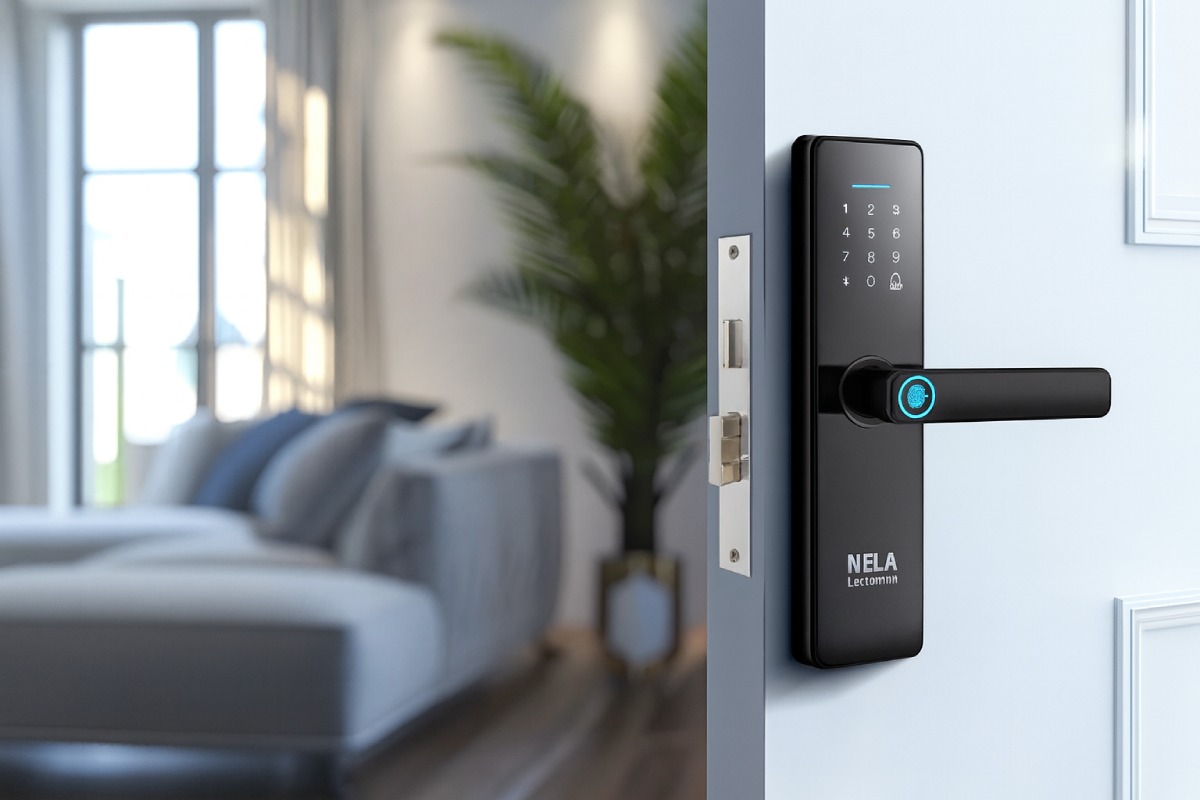
Home security feels personal. The system protects all that matters most, from sleeping children to keepsakes which hold value. Break-ins, lost keys, and everyday slip-ups can leave a house exposed to danger. Modern technology provides solutions which protect homes while simplifying daily life to address security concerns.
Smart locks step in as a friendly upgrade. They modernize doors the way smartphones modernized calls. The result is access that is safer, simpler, and more adaptable to daily routines. Homeowners get control, even when miles away. That is why smart locks home security has moved from being a niche topic to a mainstream choice.
This guide provides information about smart locks including, the benefits of smart locks, and how they work in residences. It provides step-by-step instructions for purchasing smart locks, the installation and maintenance and answers frequently asked questions.
What Are Smart Locks?
Smart locks are door locks with built-in electronic components that control, monitor, and record entry. The system functions by substituting traditional keyed locks or by installing new deadbolt mechanisms which enable users to access the door through keypads, phone-based entry and digital key sharing. Traditional locks rely on metal keys. Smart locks operate through encrypted digital credentials which users save on their phones or access through PINs or fobs while physical keys remain available for emergency situations.
They typically connect over Bluetooth, Wi-Fi, or a smart home hub protocol like Zigbee or Z-Wave. This connectivity lets you lock or unlock the door from a nearby phone or from anywhere with an internet connection. It enables users to receive notifications, maintain entry records and perform automated tasks within their home automation system.
The system provides controlled access to users through its tracking system which simplifies management of family members, guests and service personnel.
The Advantages of Smart Locks in Home Security
Keys disappear. Everyone has done it. Left them at a friend’s house, dropped them in a parking lot, or handed them to a cleaner who accidentally kept a copy.
Keyless entry
Keyless entry wipes that worry away. A code, fingerprint, or phone opens the door. No more spare key hidden in the fake rock everybody knows about. Kids learn a simple code. Elderly parents keep an easy routine. No more late-night panic digging for keys at a dark door. This is a direct, practical safety improvement, not a gimmick.
Remote Access
Remote access feels like magic the first time. A child forgets the key after school? Unlock the door from the office. Dog walker running late? Let them in while stuck in traffic. Vacation halfway around the world? Check that the door actually locked (and fix it if it didn’t). Peace of mind grows when you are not guessing.
Integration with Smart Home Systems
Smart locks work with cameras, doorbells, and alarms to create layered protection. A doorbell camera confirms who is there. The smart lock grants or denies entry. An alarm arms automatically when you lock at night. Integration turns single features into a coordinated system. It feels like the home itself helps keep watch.
Guest Access
Friends, family, or cleaners can receive a code that works at specific times. No more spare keys floating around. No more lockbox combinations that never change. You can revoke access instantly. This keeps control where it belongs, with you.
Enhanced Security Features
Enhanced security features are one of the many benefits of smart locks that go beyond convenience. Auto-locking means the door secures itself 30 seconds after closing. Tamper alerts notify you if someone tries to fiddle with the lock. Activity logs show exactly who came and went, down to the minute. These small details create a security habit that is automated, predictable, and hard to forget.
How Smart Locks Improve Overall Home Security
Smart locks shrink common failure points. Doors are not left unlocked for hours. Spare keys are not hidden outside. Visitors get access on clear terms. This reduces opportunities for unauthorized entry.
Most smart locks for security use BHMA Grade 1 or Grade 2 deadbolts (the same hardware banks use) plus digital armor. Many modern smart locks use reinforced housings, hardened bolts, and improved cylinders. Combined with encrypted digital credentials, the result is a lock that is harder to pick, more resistant to casual bumping, and far less vulnerable to the old tactic of finding a spare key.
Software guards improve reliability. Encrypted communication protects commands from being intercepted. App-based alerts mean you spot unusual activity quickly. Auto-lock adds a safety net for busy days. These features do not replace good habits. They encourage better habits, then back them up with automated failsafes.
Choosing the Right Smart Lock for Your Home
Start with the door. Thick wooden front door? Slim apartment handle? Measure twice. Some locks replace the whole deadbolt, others slip over the existing one. Choosing the right smart lock means balancing compatibility, features, and long-term reliability.
Start with your door and deadbolt
- Confirm if you have a standard single-cylinder deadbolt. Many retrofit smart locks keep your existing interior or exterior hardware, which can protect curb appeal.
- Check backset and borehole size. Most modern deadbolts match common standards, but older doors can surprise you.
- Consider handling orientation and weather exposure. If your door faces extreme sun or rain, look for weather-rated models.
Decide on connectivity
- Bluetooth is simple and battery-friendly, great for local phone-to-lock control.
- Wi-Fi enables anywhere access without a hub, plus direct integrations with voice assistants. It can consume more battery, so keep fresh batteries on hand.
- Zigbee or Z-Wave shine if you already run a smart home hub. These protocols are stable and purpose-built for home devices.
Weigh features and everyday fit
- PIN keypad for guests, kids, and low-friction access.
- Auto-lock and auto-unlock for hands-full moments.
- Logging and alerts for visibility.
- Mechanical key backup for peace of mind.
- Door-sense to know if the door is closed before locking.
Short list of well-regarded options
While brands evolve, homeowners frequently consider names like Schlage, Yale, August, and Kwikset for mainstream residential use. They offer models with keypad, retrofit, or full deadbolt replacement designs, with options for Wi-Fi or hub-based connectivity. High-security cylinders and strong strike plates are worth the small upgrade. Your situation may call for a specific feature set, so match the product to your daily rhythm rather than a spec sheet alone.
Budget matters too. Decent ones start around $130, flagship models hit $300. Spend where integration matters most. Still unsure? Nela Locksmith’s residential locksmith service includes free consultation to pick the exact model for the door.
Smart Lock Installation and Maintenance
Installation routes
- DIY: Many smart locks install with a screwdriver in under an hour. A retrofit model that replaces only the interior thumb turn can be quick, and it maintains your exterior handle set. Apps guide you step by step.
- Professional: A locksmith or home pro can ensure perfect alignment, update the strike plate, and advise on higher-security screws and plates. If doors stick or frames are misaligned, a pro can correct that right away.
If you prefer a pro, consider booking a local residential locksmith service. A seasoned locksmith will confirm fit, handle firmware setup, and share care tips. That saves time and avoids guesswork.
Ongoing care
- Battery replacement: Keep a spare set ready. Many locks provide low-battery alerts well in advance.
- Firmware updates: Updates can improve reliability and security. Enable automatic updates when available.
- Mechanical care: Lubricate the bolt and check strike alignment twice a year. A sticking bolt drains batteries and harms reliability.
- Code hygiene: Retire old guest codes. Use different codes for different people.
- Connectivity checks: If Wi-Fi range is weak, a mesh point near the door stabilizes remote access.
Smart lock owners who treat the device like any other essential appliance see the best long-term results.
Potential Concerns with Smart Locks
Battery Life
Batteries eventually run low. Modern locks give ample warnings in the app and on the keypad. Some offer emergency power pads where a 9-volt touch jump-starts the keypad long enough to enter a code. Mechanical keys remain a reliable fallback.
Hacking Risks
Hacking sounds scary. Truth is, bank-level AES-256 encryption protects these locks. Two-factor authentication for remote access adds another shield. Good password practices help a lot. The goal is defense in depth, where no single failure opens the door.
Compatibility
Doors vary. Smart homes vary. Confirm that the lock fits your door prep and works with your voice assistant or hub of choice. Manufacturers publish compatibility notes for deadbolts and platforms. If uncertainty lingers, a locksmith can sanity-check your plan.
Privacy
Activity logs show entries and exits. This data should be stored responsibly. Look for transparent privacy policies and the option to delete history. Share access thoughtfully with household members. Security with respect is the right balance.
What if Internet Goes off
Local PINs and Bluetooth still function. Physical keys still work. Smart does not mean fragile when the fundamentals are designed well.
Conclusion
Smart locks earned their place on modern doors by solving real problems. They reduce anxiety around lost keys. They simplify access for families and trusted visitors. They add structure, logs, and alerts that make homes safer in everyday ways. The benefits of smart locks extend from convenience to genuine protection, and they scale from small apartments to large family houses.
Take that first step. When questions arise, a trusted Residential locksmith service can guide product choice and installation. Safety feels better when it fits how you actually live.
FAQs
Smart locks enable users to control their locks from anywhere while providing automatic door locking and tamper detection and complete entry records. The system enables users to access their home through different authentication methods which include PIN codes and phone-based authentication instead of using a single physical key that can get lost or duplicated.
The system prevents users from making standard mistakes through its built-in security features. It locks the door automatically when it reaches a specific time period. The tamper alert system sends notifications to users when someone attempts to access the door through the knob or keypad.
It maintains a complete entry record which enables users to verify all door access activities. The combination of camera and alarm systems provides you with complete front door surveillance which minimizes unexpected events and enables quick response times.
Batteries need replacing. Firmware updates require your attention. The performance reliability of certain smart lock models depends on strong Wi-Fi signals and possibly a hub for stable operation. The management of these issues becomes straightforward through basic scheduling systems and scheduled maintenance checks. Users should select a trustworthy brand while maintaining a spare key and performing periodic battery inspections.
They already are. New home construction now includes smart locks as standard equipment from major builders. Homeowners who install these locks receive insurance company discounts. The upcoming platform enhancements will bring improved scheduling capabilities and enhanced security alerts and enhanced sensor and camera system integration.
Absolutely. Most models integrate with Alexa, Google Assistant, Siri, and even Samsung SmartThings. Once connected, you can lock doors by voice, check the lock status, and include the lock in your home routines. Some platforms require a PIN for voice unlocking as a safety measure. Just confirm compatibility on the product page and follow the setup guides carefully.